MiniMoon logo
Music player for Mac, iPhone, and iPad

MiniMoon

Your own albums, front to back. Play music offline on Mac, iPhone, and iPad, with FLAC support and a built-in tag editor. No feed, no algorithm, no subscription.

Try every Mac feature free for two weeks. Requires an Apple silicon Mac running macOS 26 or later. Version 4.2 · Release notes · User manual

Pay once
$25 on Mac, no subscription
Formats
MP3, AAC, ALAC, FLAC, Opus, AIFF
Private
No account, nothing linked to you

Album first

Offline FLAC playback, albums first

MiniMoon puts the album at the center: covers you browse like a record shelf, pages with credits and audio details, and playback that starts at track one and keeps going. Your files stay where you put them, tagged the way you left them.

Formats
MP3, AAC, ALAC, FLAC, Opus, and AIFF, played and tagged in place
Playback
Gapless playback for tracks of the same format, so live albums flow without interruption
Loudness
ReplayGain keeps tracks at a consistent listening level; a graphic equalizer lets you shape the sound
The numbers
Sample rate and bit depth for the whole album, format and bit rate for every track

The album page

Every record gets a proper page

The cover and credits sit beside the track list, so a long album never pushes its artwork off the screen. Year, genre, composer, and label link to the rest of your library. Click a label to see every album you own from it. A single line sums up the record: running time, file size, sample rate, and bit depth.
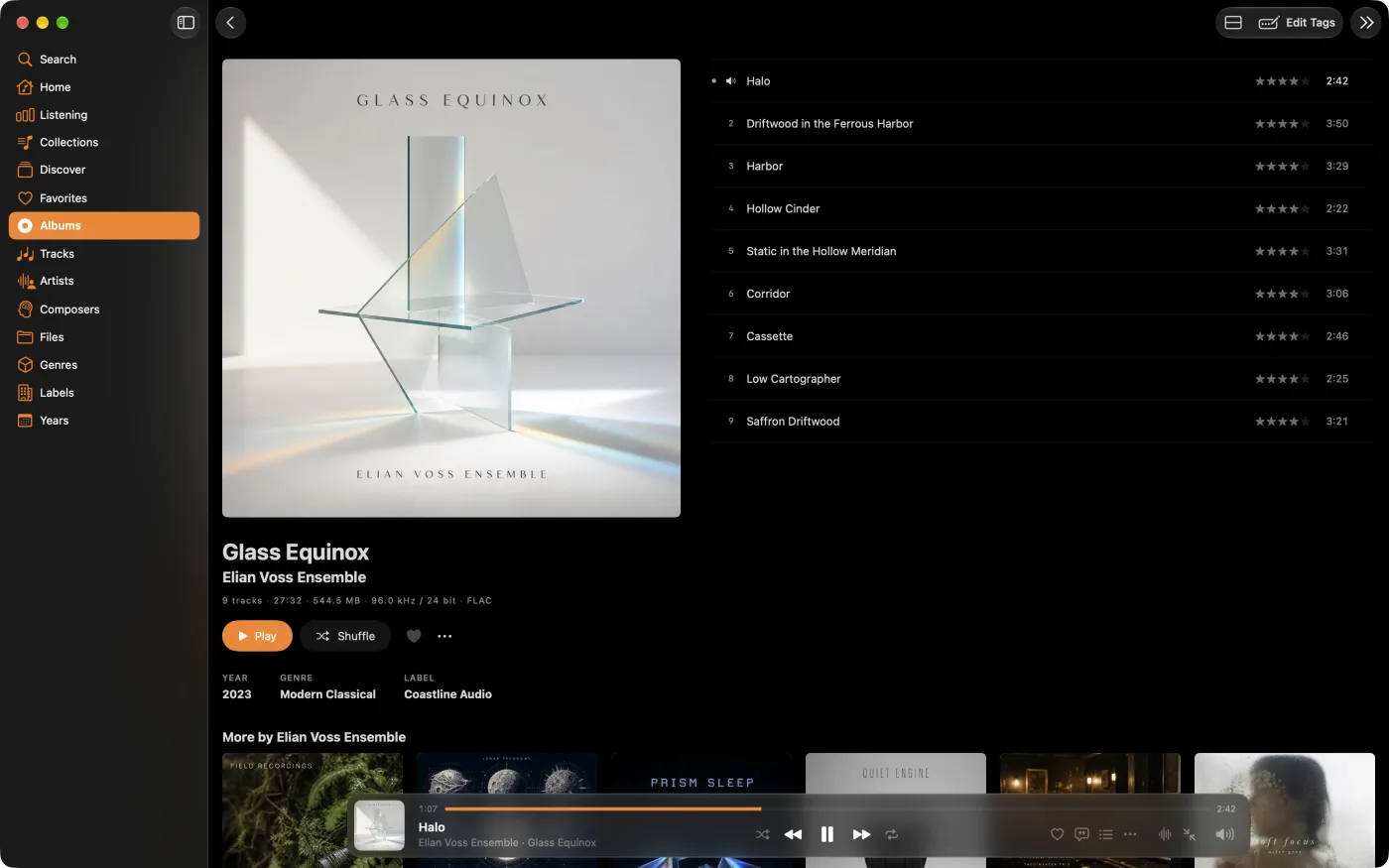
MiniMoon album page with cover, credits, and track list side by side
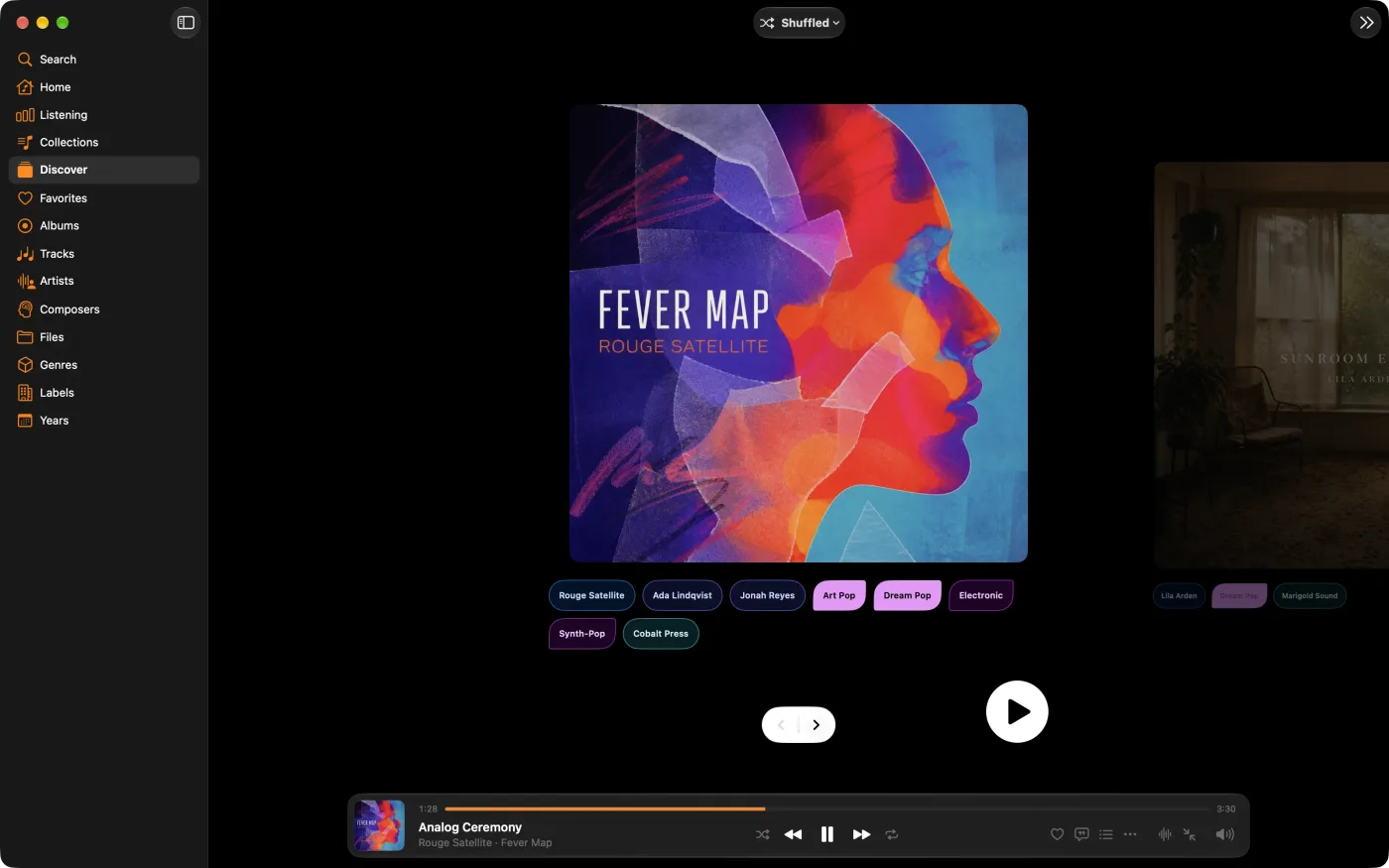
MiniMoon Discover showing one album cover at a time, with its tags below

Nothing to decide

Let the shelf pick

Discover shows your library one album at a time, cover first. Browse with the arrow keys, filter by artist, genre, or label, and play whatever catches your eye. Or roll the dice with Play Random Album. The records you forgot you owned come back around.

Tags

Every tag on one page

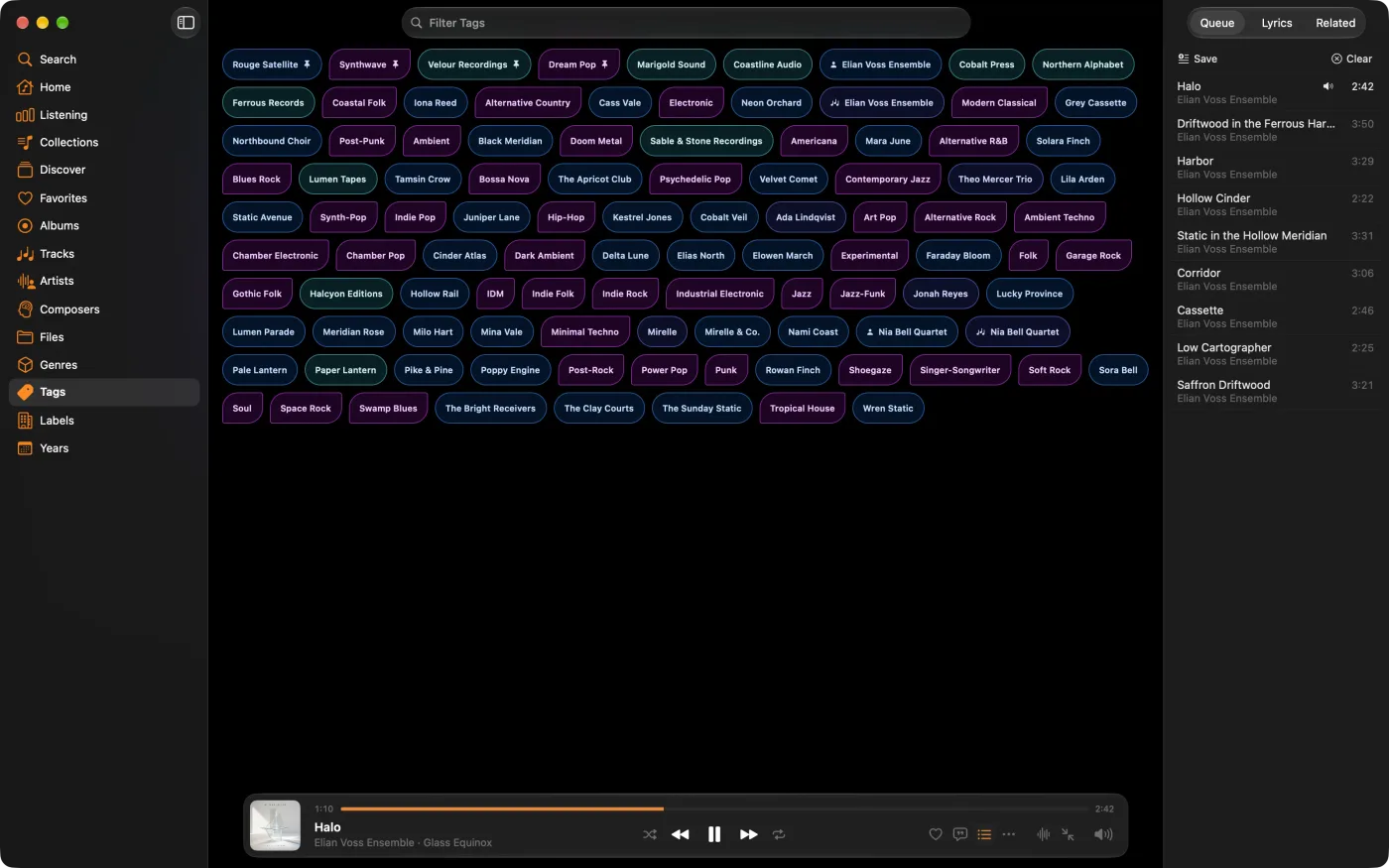
Browse every artist, composer, genre, and label on one page. Select a tag to see its albums, or type to find the one you want. Pin favorites to keep them at the front. Enable Tags in Settings to add it to your sidebar.

MiniMoon Tags page showing every artist, composer, genre, and label as a tag, with pinned tags first
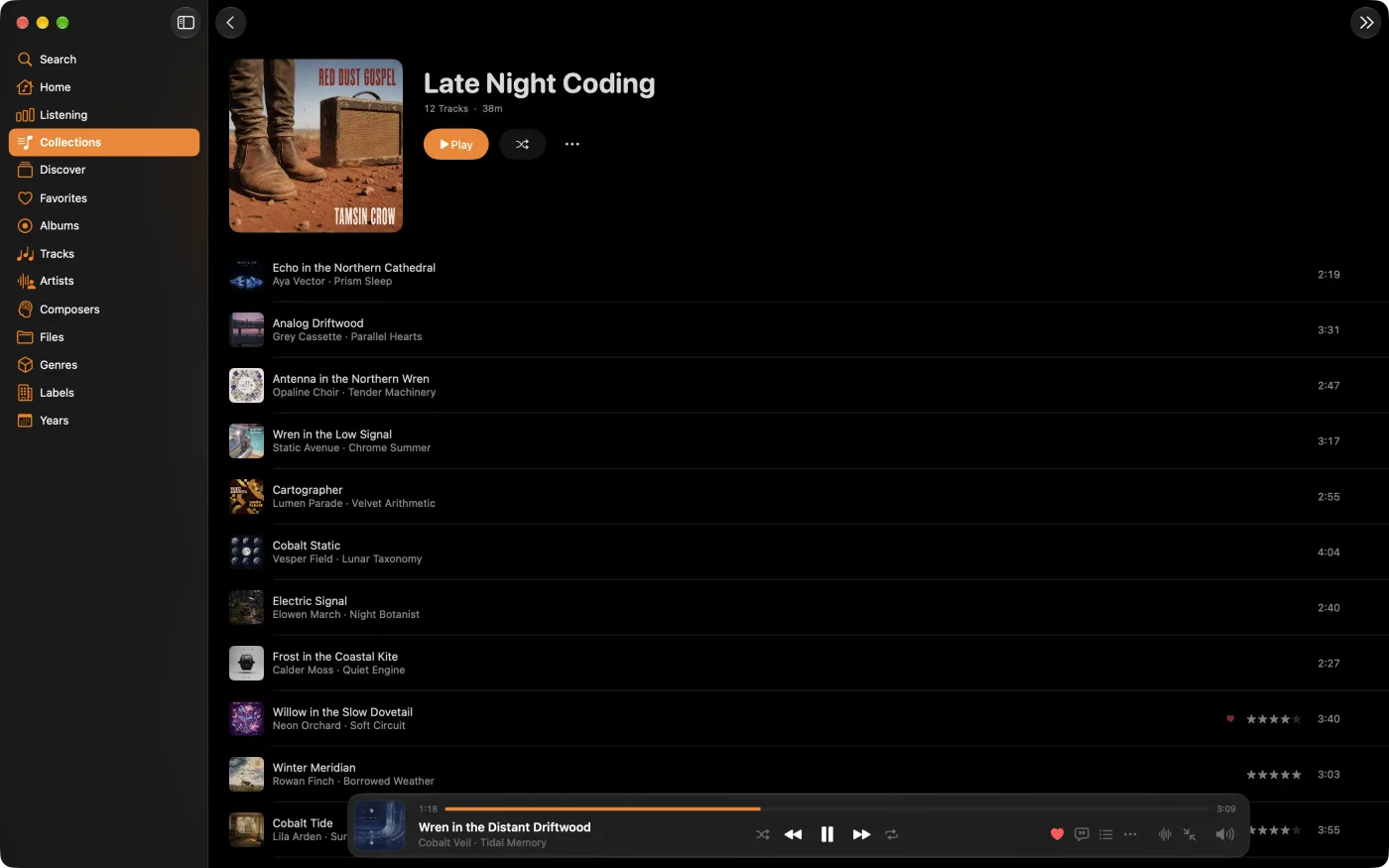
MiniMoon collection shown as a wall of album covers

Collections

Playlists for whole albums, too

Mix individual tracks and whole records in a collection. View it as a track list or a wall of album covers, just like the rest of your library. On Mac, pin a collection to Home to give it a shelf of its own.

Tag editor

Edit music tags and album artwork

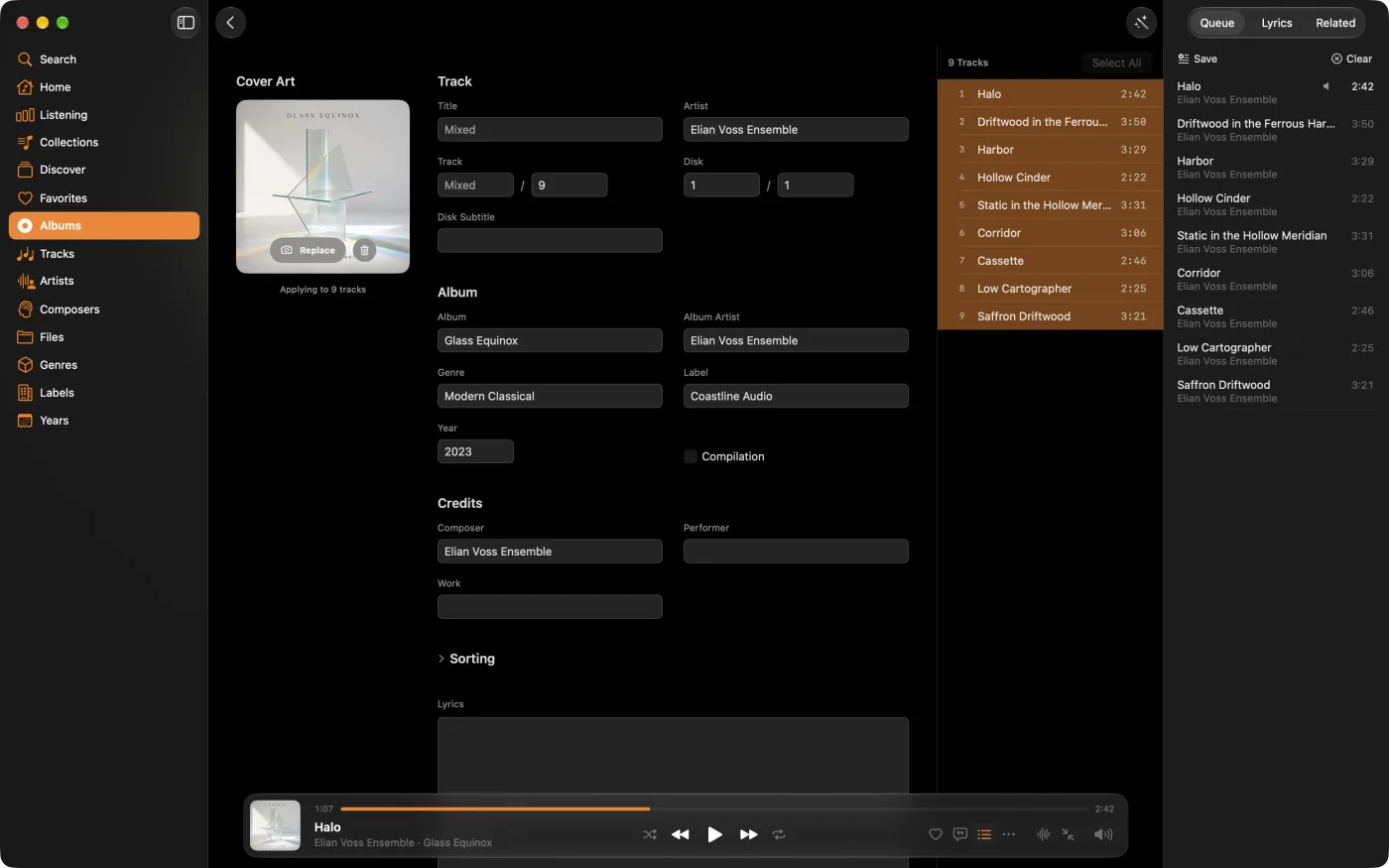
Spot an incorrect year or a missing cover halfway through an album? Fix it as you listen. The editor works across every supported format, steps through the track list from the keyboard, and lets you replace cover art with your own images. On Mac, edit sort names to put artists, albums, tracks, and composers in order while keeping their displayed names. How to edit tags and album artwork.

MiniMoon tag editor
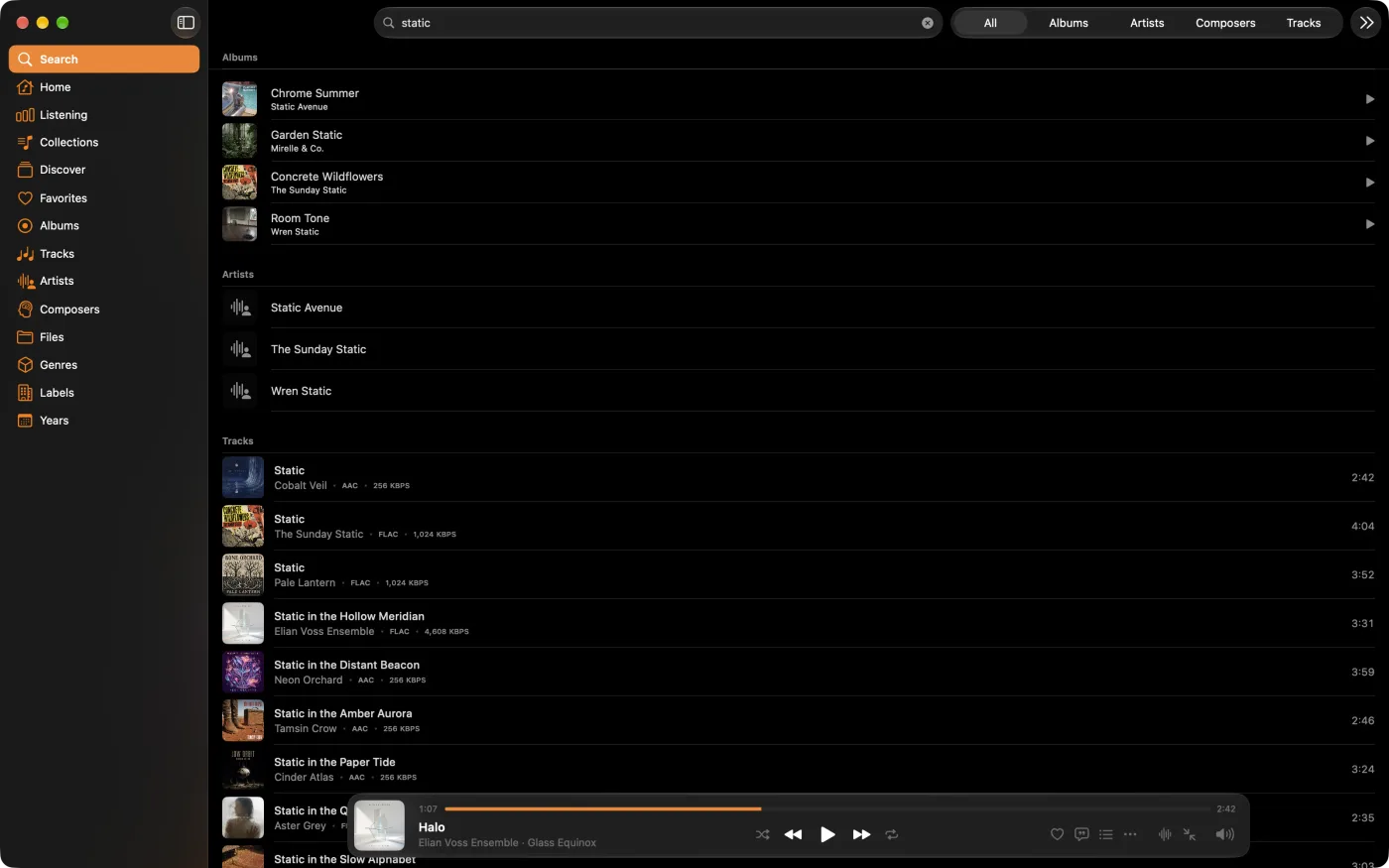
MiniMoon search results grouped into albums, artists, and tracks

Search

Albums first, even in search

Results arrive as you type, grouped into albums, artists, composers, and tracks, with each track's format and bit rate beside it. Albums come first, ready to play from the beginning.

Mini player

Your next record, in a smaller window

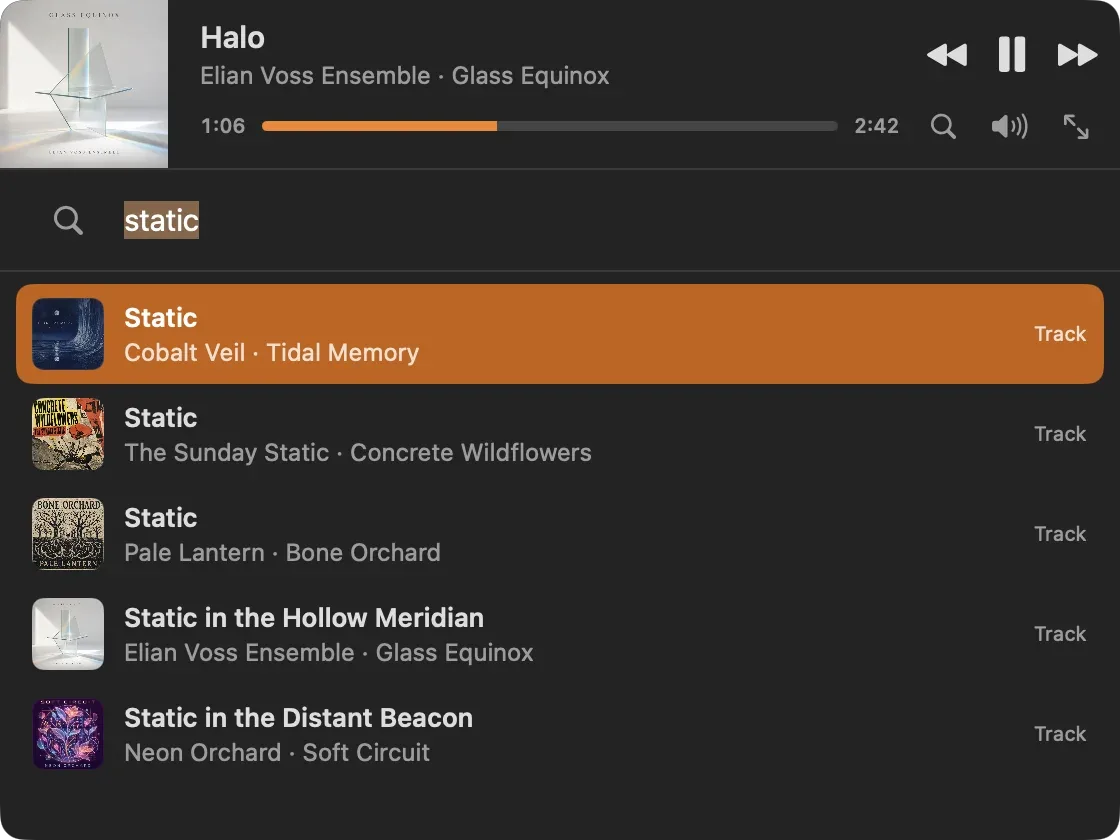
Keep cover art, playback controls, and search close by in a compact window. Find your next record while you work.

MiniMoon desktop mini player with search results

iPhone and iPad

Your albums, in your pocket

Take your album covers and library pages with you, and play music stored on your phone offline. Download free to browse and play your whole library. A one-time purchase unlocks tag editing, the equalizer, and the file and track browsers.

Download on the App Store

MiniMoon Sync

Sync music from your computer to iPhone or iPad

MiniMoon Sync copies your library from your computer to MiniMoon on iPhone or iPad over your home network. It runs on Mac and Windows, so you can bring your library across from either. No cables or cloud storage needed.

Set up MiniMoon Sync and see what gets copied

Reviews

From people who own their music

4.6 out of 5 from 48 ratings on the US App Store

★★★★★

If you're bored with endless playlists of flighty tunes, and just want to reconnect with your own albums, this is for you.

“MMM indeed” · App Store, UK

★★★★★

The best iOS local music player there is. The Mac app is equally excellent. Helpful and responsive developer; fair one-off pricing.

“Excellent” · App Store, UK

★★★★★

The most convincing reason to me though is that you don’t have to worry about an arbitrary service agreement that might have “your music” being gone one day.

“Definitive Music Player” · App Store, US

★★★★★

So far, I’ve tested over 16 FLAC player apps, all of which had numerous shortcomings and missing features. That’s where MiniMoon comes in…

“Best FLAC-Player on the Market” · App Store, Germany

★★★★★

It is also clearly designed by someone who loves music. The support of the opus codec, the last.fm integration, the focus on albums… and the statistics are wonderful.

“Best Music Player” · App Store, US

★★★★★

I use it every day and I’ll never go back to a streaming service!

“The best music app on iOS period” · App Store, US

More features

The rest of your listening toolkit

More ways to explore, organize, and enjoy your library.

Browsing

  • Home shelves for recently added, played, and released albums, plus records you rarely play
  • Related albums: more by the artist, more on the label, more from the same year
  • Browse by artist, composer, genre, label, year, or folder
  • Favorites for the albums in heavy rotation
  • Group classical tracks by work
  • A home screen and sidebar you can rearrange

Library care

  • Artist pages with your own notes and photos
  • Replace cover art and embed it in your files
  • Listening stats by album, artist, and time
  • Last.fm scrobbling
  • M3U playlist import and export
  • Library sync to iPhone and iPad

FAQ

Before you download

Does MiniMoon require a subscription?

No. MiniMoon for Mac is a one-time $25 purchase with a two-week free trial. On iPhone and iPad, it is free to download, with a one-time in-app purchase that unlocks the full version. There are no recurring fees, and you do not need an account.

What does the full version unlock on iPhone and iPad?

Unlock tag and artwork editing, the equalizer, file and track browsers, multiple followed tags in Discover, pinned tags, and Home customization. The free version lets you browse and play your entire library.

What audio formats does MiniMoon support?

MiniMoon plays and edits MP3, AAC, ALAC, FLAC, Opus, and AIFF files in place.

Do I need a Mac to sync music to my phone?

No. The free MiniMoon Sync companion runs on Mac and Windows. Choose a music folder on your computer, then copy it to MiniMoon on iPhone or iPad over your home network.

Does MiniMoon work offline?

Yes. Your music and tags are stored on your device, so playback works without an internet connection.

What are the system requirements?

On Mac, you need macOS 26 or later and an Apple silicon processor (M1 or newer).

Try it today

Make time for the albums you love.

Try MiniMoon for Mac free for two weeks, then pay $25 once to keep it. On iPhone and iPad, download it free and unlock the full version with a one-time purchase.